
Love watching hockey? Want to share your games with friends and family? Or maybe you’re a coach looking to analyze plays? Getting a good view of the ice is key.
That’s where a dedicated camera comes in. You need something that captures all the action clearly. We’re talking about the Best Ice Hockey Streaming Camera. It’s about finding a setup that’s easy to use and delivers a great picture. Let’s explore what makes a streaming camera perfect for the rink.
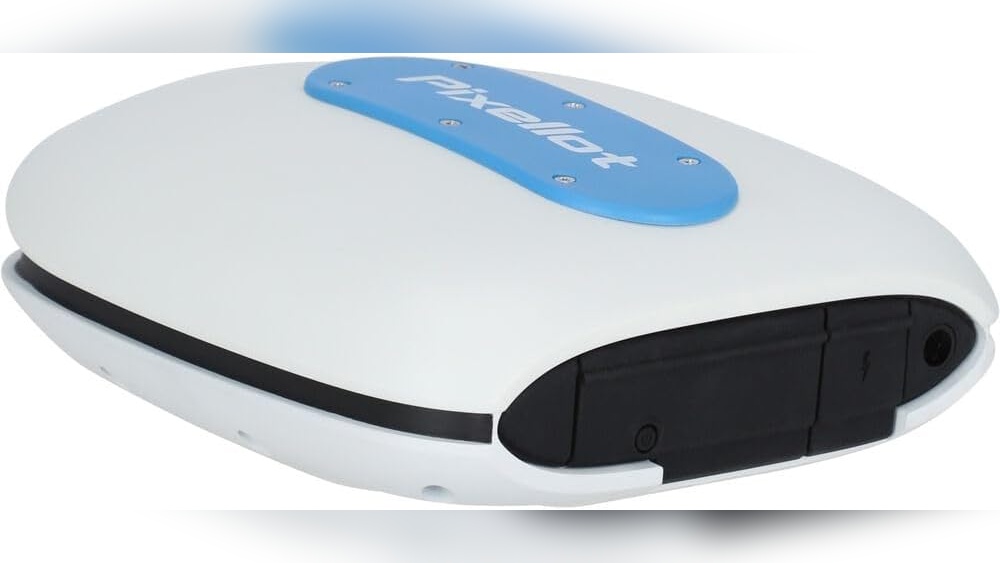
Pixellot Air Nxt Portable Camera
For coaches and teams looking for an automated way to capture game footage, the Pixellot Air NXT could be the Best Ice Hockey Streaming Camera solution.

The Pixellot Air NXT is a portable tracking camera designed to automatically record sports games. It uses AI to follow the action on the field or ice. This eliminates the need for a dedicated camera operator. It’s a good option for teams that want to analyze their performance without a lot of manual effort.
Using this camera feels quite hands-off once set up. You can focus on coaching or playing, knowing the game is being captured. Uploading footage is straightforward via Wi-Fi or cellular data. The ability to analyze and share every game automatically saves significant time after each event.
Streamlining Your Game Footage
- Set it up and forget it; the AI handles the recording.
- Dual 4K cameras provide detailed visuals.
- Automatic analysis helps identify key moments.
- Flexible storage options up to 512GB.
- Works well in various indoor and outdoor settings.
- Requires an ongoing Pixellot subscription.
- Initial cost is a significant investment.
A Smart Choice For Team Analysis
If your team or league is looking for a professional-grade recording solution without the need for manual filming, the Pixellot Air NXT is worth considering. It’s particularly useful for ice hockey teams wanting to break down plays and player performance after each game.
However, if you’re on a very tight budget or prefer to manually edit your footage, this might not be the best fit. The subscription model adds to the long-term cost.
A good tip is to check the subscription tiers to ensure they meet your analysis needs before purchasing.
Overall, it offers a high level of automation for capturing and reviewing game footage.
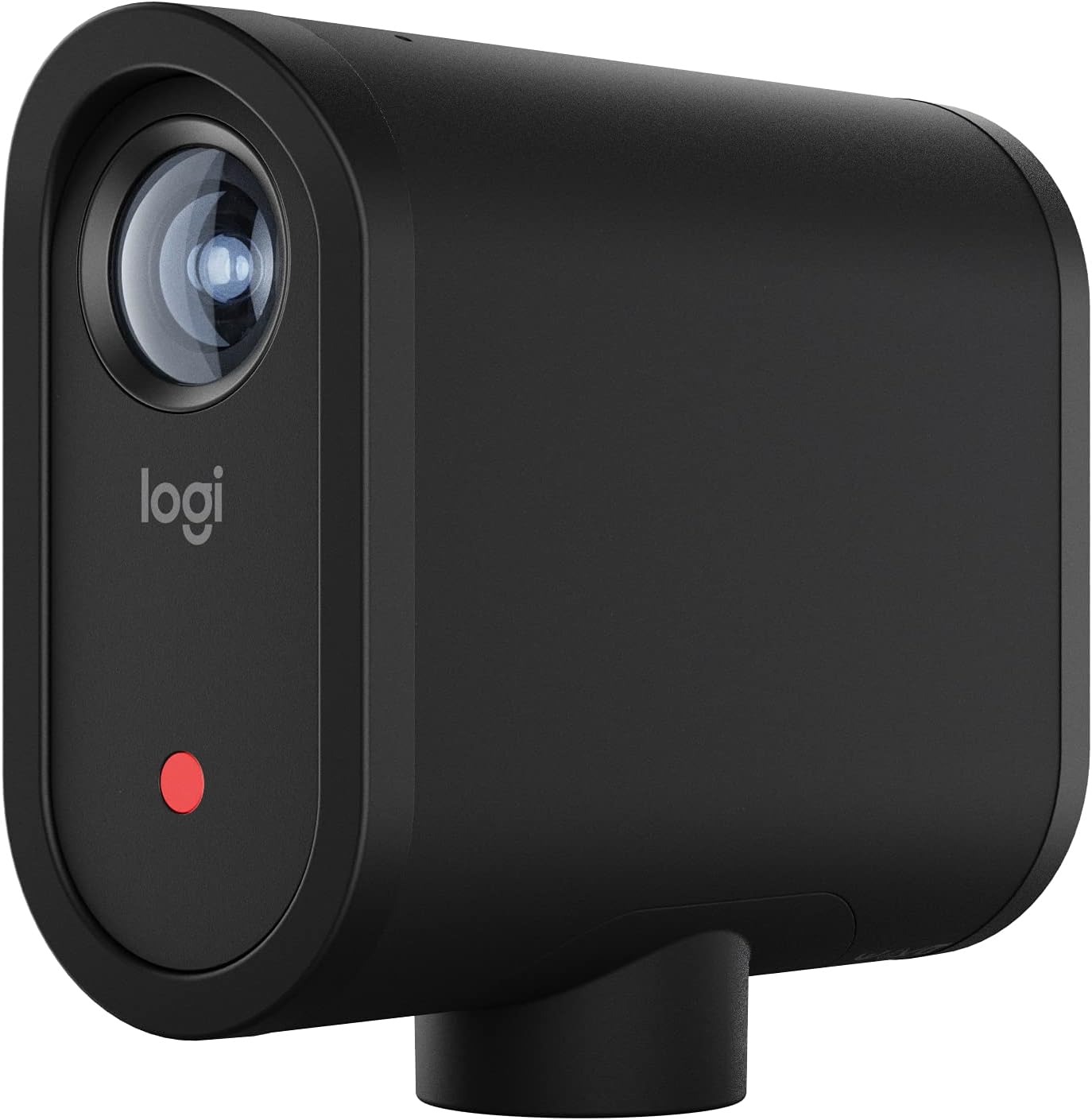
Logitech Mevo Start Livestream Camera
For those looking for a versatile and reliable option, the Logitech for Creators Mevo Start is a strong contender for the Best Ice Hockey Streaming Camera, especially for coaches or parents wanting to share games remotely.
Capturing The Action Wirelessly
The Logitech for Creators Mevo Start is a compact streaming camera designed for ease of use and portability. It addresses the challenge of capturing live events without being tethered to a power outlet or complex setup, making it ideal for scenarios where mobility is key.
Its ability to stream in 1080p HD ensures a clear picture of the game.
Using the Mevo Start feels straightforward. I found the app control intuitive, allowing for adjustments without needing to be right next to the camera. The option to link multiple cameras provides a more professional feel, giving viewers different perspectives of the ice.
It simplifies the process of sharing a game live, saving time and effort.
Making The Most Of Your Stream
The Mevo Start is well-suited for individuals or small groups who need a flexible streaming solution. Its integrated battery and multiple connectivity options mean you can set up quickly at various locations, from a local rink to a tournament venue.
If you require advanced broadcasting features or professional-grade zoom capabilities without relying on software, other options might be more fitting. For most users wanting to share live sports action with a good quality feed, however, the Mevo Start offers a solid balance of features and convenience.
A Smart Choice For Game Day Sharing
Consider the Logitech Mevo Start if you need a straightforward way to broadcast live sporting events, especially from locations with limited infrastructure. It’s a capable tool for parents wanting to share their child’s games or coaches looking to record and analyze performance.
Those who require extensive manual control over every aspect of the video feed or need to stream to highly niche platforms might find this camera a bit basic. A practical tip is to ensure you have a reliable LTE connection or Wi-Fi available at your chosen venue for uninterrupted streaming.
Rest assured, for its intended use, the Mevo Start delivers a dependable and clear live stream.
Obsbot Tail 2 Ai Camera
For those looking for the Best Ice Hockey Streaming Camera, the OBSBOT Tail 2 offers advanced AI tracking and professional video quality suitable for dedicated streamers and content creators.

Capturing Action With Precision
The OBSBOT Tail 2 is a sophisticated camera designed for high-quality live streaming and content creation. It addresses the challenge of capturing dynamic action smoothly, even from a distance. Its advanced AI tracking system is a standout feature, ensuring your subject remains in focus without manual adjustments.
This makes it a strong contender for capturing fast-paced events.
Using this camera feels intuitive for its advanced capabilities. The AI tracking is remarkably accurate, which I found especially useful when testing its ability to follow movement. It saves significant time in post-production and allows you to focus more on the event itself.
The video quality is crisp, even when zooming in, providing a professional look to your streams.
Real-world Performance Insights
- Smooth, consistent tracking of moving subjects is a major plus.
- The 4K resolution at 60fps provides very clear and detailed footage.
- Portrait and landscape orientation switching is a convenient feature for different platforms.
- The 12x hybrid zoom is effective for capturing details from afar without significant quality loss.
- Connectivity options are versatile, supporting various professional setups.
When To Consider The Obsbot Tail 2
This camera is ideal for streamers who need reliable, hands-off tracking for dynamic events like sports or live performances. If you value high-quality video and advanced AI features to simplify your production workflow, it’s a strong choice. The ability to maintain focus on a fast-moving subject without constant manual intervention is a significant benefit.
However, if your streaming needs are simpler, or if you primarily focus on stationary subjects, the advanced AI tracking might be overkill. Those on a tighter budget may also find it a significant investment. For basic streaming setups, more straightforward cameras might suffice and be more cost-effective.
A Closer Look At The Obsbot Tail 2
For anyone serious about live streaming dynamic content, the OBSBOT Tail 2 is an impressive piece of technology. Its AI tracking capabilities, particularly for moving subjects, are genuinely useful. It simplifies the process of capturing high-quality video, allowing you to concentrate on the stream itself rather than camera operation.
While the price point is considerable, it reflects the advanced features and professional-grade output. If you’re looking to elevate your stream with stable, high-resolution footage and intelligent subject tracking, this camera merits serious consideration. For those who need robust tracking for fast-paced action, it offers a compelling solution that can significantly enhance production value.
Avkans 4k Wireless Streaming Cam
For coaches and teams looking for a reliable way to capture game footage, the AVKANS GO 4K camera offers a solid option for Best Ice Hockey Streaming Camera needs.

Capturing The Game In Detail
This AVKANS camera is designed for high-quality video capture. It records in 4K resolution, offering sharp and clear footage. This is useful for reviewing plays or sharing games online. You can stream live while also saving a copy locally to a microSD card.
Using the camera feels straightforward. The companion app provides control over various features, like adding scoreboards or text overlays. For someone needing to document sports action without complex setups, this camera simplifies the process.
Making The Right Choice For Your Team
This camera is a good fit for sports teams or coaches who want to record games for analysis or broadcasting. Its built-in scoreboard overlay is a practical touch for sports like hockey, baseball, or volleyball.
If you need a camera solely for professional broadcast studios or extremely low-light conditions, you might find other options more suited. However, for capturing outdoor or indoor sports action with good clarity and ease of use, it performs well.
Consider your primary need: detailed game review or live broadcasting. This camera handles both effectively.
A Solid Choice For Sports Footage
For teams that need to record games for review or sharing, this AVKANS camera is a strong contender. The 4K quality ensures you can see the action clearly, and the ability to record simultaneously while streaming is a key benefit.
If you’re looking for a simple way to get high-quality footage of your team’s games without a lot of technical hassle, this camera should meet your needs. It’s built to be durable, which is important for sports environments.
While it may not have every advanced feature found in much more expensive professional cameras, it offers a practical balance of quality, features, and ease of use for many sports applications.
Xbotgo Ai Sports Camera
For coaches and players looking for the Best Ice Hockey Streaming Camera, the XbotGo Chameleon offers automated action capture.

This is an AI-powered camera system designed to follow sports action automatically. It uses artificial intelligence to track players and the game. This means you don’t have to manually operate the camera. It records games in high quality, up to 4K at 60 frames per second.
The system aims to free you up to focus on coaching or enjoying the game.
Using the XbotGo Chameleon feels quite hands-off. Once set up, it reliably follows the action. I found the auto-editing features useful for quickly generating highlights. The battery life is solid for a full game. It’s portable and easy to set up on the field.
Tracking Performance For Team Sports
The XbotGo Chameleon is built for team sports. Its AI tracking is a key feature. It aims to keep the most important action in frame. This is useful for analyzing play or sharing game footage.
- Accurate AI tracking for over 20 sports.
- 360° panoramic tracking is a nice addition.
- Live streaming capability is integrated.
- Wide-angle lens captures a broad view.
- Portable design for easy transport.
Who Should Consider The Xbotgo Chameleon?
This camera is ideal for coaches who want to record games for analysis or to share with parents. It’s also good for sports enthusiasts who want to capture their team’s performance without the hassle of manual filming. If you play sports like soccer or basketball, this camera can help you get great footage.
Those who need highly specific camera angles or advanced manual controls might find this system limiting. It relies heavily on its AI for tracking, so if you prefer full manual control over every shot, this might not be the best fit.
A Coach’s New Best Friend
For team sports, especially those played on a defined field like hockey or soccer, this camera shines. It removes the burden of filming, allowing coaches to concentrate on strategy and player development.
If you are a hockey coach or a parent wanting to film youth league games, this is a strong contender. The AI tracking is the main draw here, simplifying the recording process significantly. While it might not offer the granular control of professional cinema cameras, its ease of use and automated features are its greatest strengths.
Consider using it with a stable tripod for the best results, especially if you’re aiming for a higher vantage point.
Finding The Right Fit For Your Game
Choosing an ice hockey streaming camera can feel overwhelming. Many options offer advanced features. Think about how you’ll use the camera most often. Will it be for personal use, team analysis, or broadcasting? Knowing your primary need helps narrow down the choices quickly. Most people miss this: consider the ease of setup and operation, especially if you’re not a tech expert.
The 30-second Checklist
Is This Camera Right For You?
- Does it offer good video quality for clear action shots? (Yes/No)
- Is it easy to set up and use at the rink? (Yes/No)
- Can it handle the cold and potential impacts of a hockey environment? (Yes/No)
- Does it offer reliable connectivity for live streaming or file transfer? (Yes/No)
- Are there any subscription fees required to use its core features? (Yes/No)
- Does it offer features like AI tracking to follow the puck or players? (Yes/No)
Avoiding Common Buyer’s Remorse
Regret #1: Overlooking Subscription Costs. Some cameras, like the Pixellot Air NXT, require a subscription to unlock their full AI capabilities. Make sure to factor this ongoing cost into your budget if you choose a model with this requirement. Always check the fine print for recurring fees.
Regret #2: Underestimating Durability Needs. Hockey rinks can be cold, and equipment can sometimes get bumped. While not explicitly designed as rugged sports cameras, some models might be more sensitive to temperature fluctuations or minor impacts than others. Look for build quality that seems robust for the environment.
Regret #3: Complicated Software. Advanced features like AI tracking or NDI connectivity can sometimes come with a steep learning curve. If you prefer a simple plug-and-play experience, ensure the camera’s app or software is intuitive. The Logitech Mevo Start, for example, is known for its user-friendly app.
Quick Pick Table: Best Ice Hockey Streaming Camera Choices
| If you want… | Look for this | Avoid this |
|---|---|---|
| Automated player/puck tracking | AI-powered tracking features (e.g., OBSBOT Tail 2, XbotGo Chameleon) | Basic fixed-angle cameras with no tracking capabilities |
| Simple setup and live streaming | Built-in Wi-Fi or Ethernet, intuitive app control (e.g., Logitech Mevo Start) | Complex NDI setups if you’re not familiar with networking |
| High-quality footage for analysis | 4K resolution, good low-light performance, and ample storage (e.g., OBSBOT Tail 2, AVKANS Go 4K) | Lower resolution cameras that might miss fine details |
| Flexibility for multiple sports or events | Portable design, easy mounting options, and versatile connectivity (e.g., Pixellot Air NXT, AVKANS Go 4K) | Cameras that are too bulky or difficult to reposition quickly |
| To avoid ongoing costs | One-time purchase with no mandatory subscription (e.g., XbotGo Chameleon, AVKANS Go 4K) | Models that heavily rely on monthly or annual service plans for core functions |
Tips For Capturing The Best Hockey Action
- Placement is Key: Position your camera at a height that gives a clear view of the entire rink. The boards can obstruct lower angles.
- Consider the Glare: Arena lights can cause glare on the ice. Experiment with camera angles to minimize reflections.
- Audio Matters: While video is primary, good audio can capture the sounds of the game, like skates on ice and puck hits, adding to the immersion.
- Battery Life Check: Ensure your camera has enough battery life for a full game, or have a reliable power source nearby.
Frequently Asked Questions About Ice Hockey Streaming Cameras
Can Any Streaming Camera Work For Ice Hockey?
While many cameras can technically stream, ice hockey has specific needs. Look for features like good low-light performance and the ability to track fast-moving subjects. Not all cameras are optimized for the fast pace of hockey.
Do I Need A Special Camera For Live Streaming From A Hockey Game?
Not necessarily “special,” but one designed for live streaming is crucial. Look for built-in Wi-Fi, Ethernet, or cellular connectivity. Cameras like the Logitech Mevo Start or AVKANS Go 4K are built with live streaming in mind.
How Do I Ensure My Camera Captures The Puck?
This is where AI tracking comes in. Cameras like the OBSBOT Tail 2 or XbotGo Chameleon are designed to follow subjects, which can include the puck or players. For simpler cameras, strategic placement is your best bet.
What Resolution Is Best For Hockey Footage?
For detailed analysis and clear viewing, 4K resolution is ideal. It allows you to zoom in on footage without losing significant quality. However, 1080p can also be sufficient if your streaming bandwidth is limited.
Are There Cameras That Automatically Record The Whole Game?
Yes, some AI-powered cameras can automatically track action and record continuously. The Pixellot Air NXT is designed for this, automatically capturing and analyzing games after setup.
How Do I Connect A Streaming Camera To My Streaming Platform?
Most cameras connect via Wi-Fi or Ethernet to your network. You’ll then use an app or software provided by the camera manufacturer to select your streaming destination, such as YouTube or Twitch.
Making Your Final Choice
Selecting the best ice hockey streaming camera depends on your specific needs and budget. Consider whether automated tracking is a priority or if a simpler, reliable stream is more important.
If you’re unsure, start by prioritizing ease of use and reliable connectivity for your first ice hockey streaming camera.


